> ## Documentation Index
> Fetch the complete documentation index at: https://auth0-fix-docs-5525.mintlify.site/llms.txt
> Use this file to discover all available pages before exploring further.
> How to configure recovery codes for multi-factor authentication.
# Configure Recovery Codes for MFA
A recovery code is a unique code, generated by Auth0, allowing a user to regain account access. So if a user cannot access the device or account used for multi-factor authentication (MFA) enrollment, they can use a recovery code to authenticate.
## How it works
When using Universal Login with recovery codes enabled:
1. A user starts MFA enrollment.
2. Auth0 generates a recovery code.
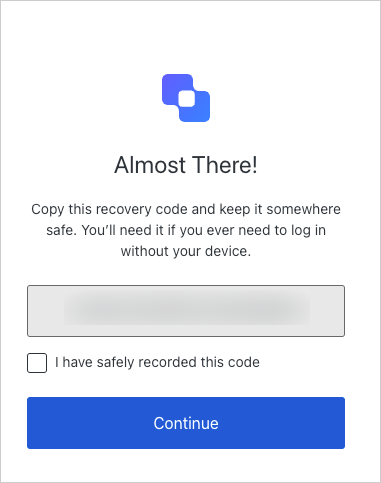
3. During MFA enrollment the user is shown the recovery code prompt.
4. The user saves the recovery code and completes the enrollment process.
5. Now the user can complete MFA with the recovery code they saved if they lose access to their device or account they enrolled for MFA.
 When using Universal Login with recovery codes disabled:
* Users will not see the recovery code prompt during MFA enrollment.
* Users cannot authenticate with a recovery code.
## Enable recovery codes
Recovery codes are disabled by default. You can enable recovery codes by going to [Dashboard > Security > Multifactor Auth](https://manage.auth0.com/#/security/mfa).
## Learn more
* [Challenge with Recovery Codes](/docs/secure/multi-factor-authentication/authenticate-using-ropg-flow-with-mfa/challenge-with-recovery-codes)
When using Universal Login with recovery codes disabled:
* Users will not see the recovery code prompt during MFA enrollment.
* Users cannot authenticate with a recovery code.
## Enable recovery codes
Recovery codes are disabled by default. You can enable recovery codes by going to [Dashboard > Security > Multifactor Auth](https://manage.auth0.com/#/security/mfa).
## Learn more
* [Challenge with Recovery Codes](/docs/secure/multi-factor-authentication/authenticate-using-ropg-flow-with-mfa/challenge-with-recovery-codes)